Free VietQR tools
Create and decode VietQR in seconds
Need a bank transfer QR with the amount already filled in? Got a QR code your banking app refuses? ApiPay’s two free tools make new codes and read existing ones, right in your browser.
- Free, no sign-up
- Follows the NAPAS VietQR standard
- Works on phone and desktop
Two tools, one goal: transfers that go through
VietQR generator
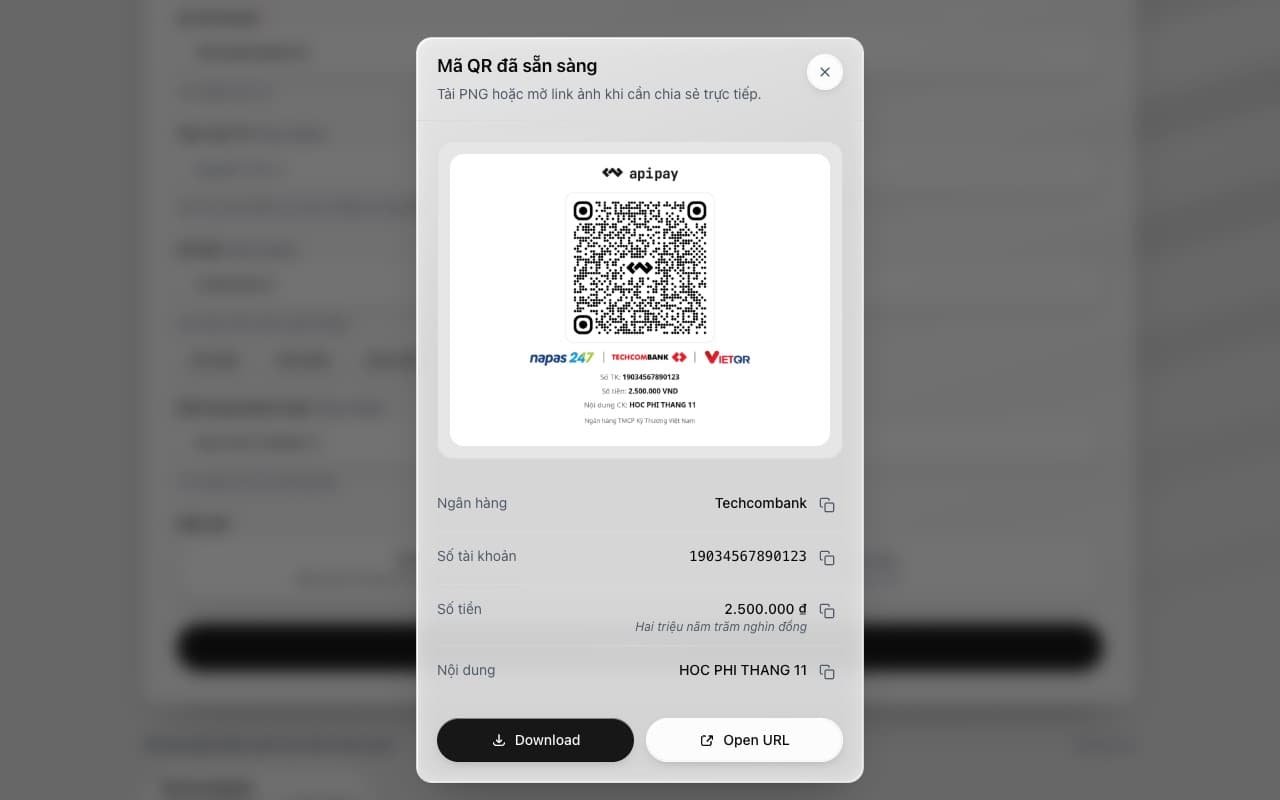
Create a payment QR for your bank account. Customers scan it with any banking app, with the amount and note already filled in.
- Pick the bank and enter the account number
- Add an amount and a transfer note if you want
- Choose the full template or the QR code alone
- Download a PNG or open the image link to share
VietQR decoder
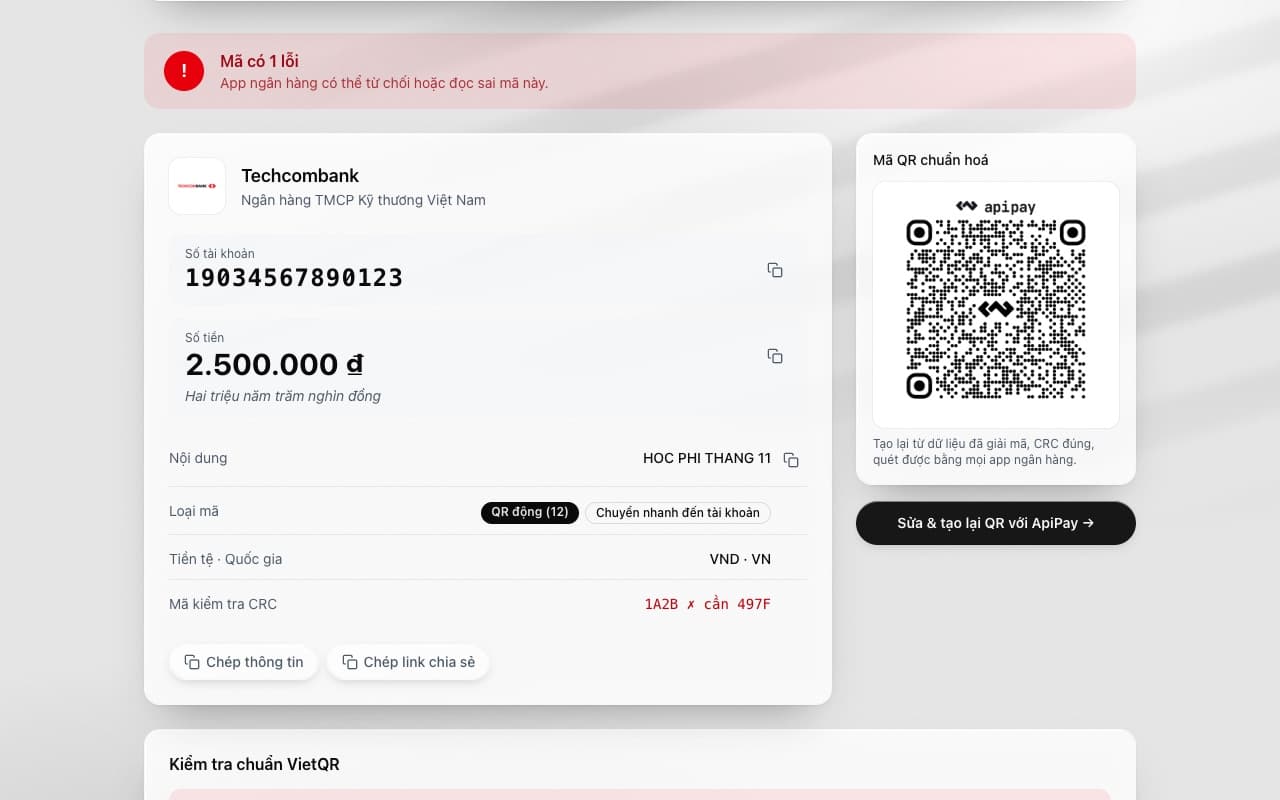
Read a bank transfer QR before you pay, or find out why your banking app won’t accept it.
- Drop an image, paste a screenshot, scan with the camera, or paste the code text
- See the bank, account number, amount and transfer note
- Check the code against the standard and fix CRC errors
- Images are read on your device, never uploaded
Why use ApiPay’s tools
Example: a tuition QR code the banking app rejects
Parents report a problem
Ha runs an English centre and sends the tuition QR code on Zalo. A few parents reply that their banking app says the code is invalid.
Decode it to find the fault
She drops the image into the decoder. The bank, account and amount are right, but the CRC check is wrong, so apps refuse it.
Make a clean code
She taps the button to fix and regenerate it, and the generator opens with everything filled in. She downloads the new PNG, sends it, and parents can pay.
Frequently asked questions
Receiving lots of transfers every day?
ApiPay tells you the moment money lands in your account and matches it to the order, no more checking statements by hand. Before paying out, look up the account holder’s name so you never pay the wrong person.